P85K 1080p Ultra Gaming PC
Target budget ₱85,000 · parts re-picked daily from live Shopee and Lazada prices
At 85K the compromises disappear at 1080p. A 16GB card, the RX 9060 XT or RTX 5060 Ti, maxes out settings in esports and handles AAA titles at ultra, with enough headroom to drop to 1440p medium in lighter games. The 16GB matters more than the raw speed here: 8GB cards are aging out of new titles fast, and this is the cheapest way to stop worrying about texture settings.
Parts list
Each slot shows the cheapest part that fits this build today. Prices are canvassed live from Shopee and Lazada.
| Component | Part | Price |
|---|---|---|
| CPU | ₱7,289 | |
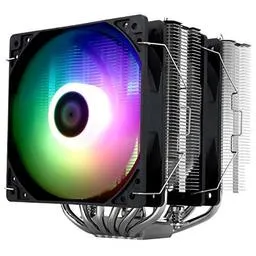
| CPU Cooler | ₱1,627 | |
| Motherboard |  Gigabyte B650M GAMING WIFI AMD B650 · Micro ATX | ₱6,189 |
| RAM | 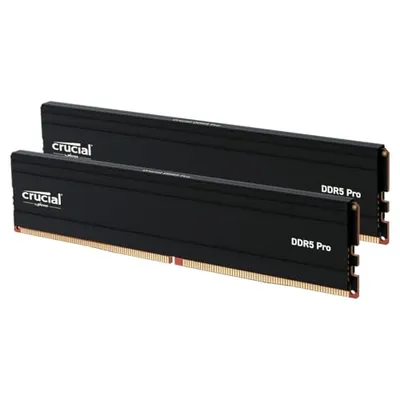 Crucial Pro 32 GB DDR5 · 2×16 GB · CL48 | ₱23,999 |
| Video Card | 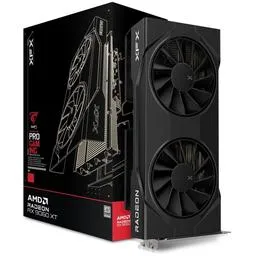 Radeon RX 9060 XT XFX Swift OC Radeon RX 9060 XT · 16 GB | ₱28,495 |
| Storage | 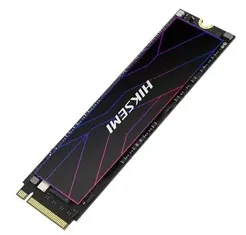 HIKSEMI Future Lite NVMe · 1 TB | ₱9,195 |
| PSU | 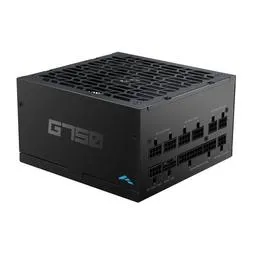 SAMA G750 750 W · 80+ Gold | ₱3,878 |
| Case | 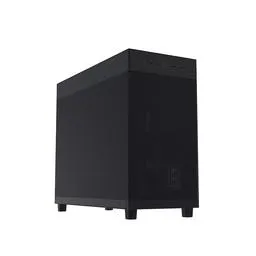 Asus Prime AP303 ATX Mid Tower | ₱5,165 |
| Total | ₱85,837₱837 over budget | |

Why these parts
- CPU
- The Ryzen 5 7500F is all the CPU this card needs at 1080p, so the budget goes to the 16GB graphics card instead. If you want the gaming-first route, a Ryzen 7 7800X3D drops into the same board; it costs a lot more for a few percent here, which is why the value chip stays the default.
- CPU Cooler
- The same Thermalright dual-tower as the 1080p build: silent, and ready for an AM5 CPU upgrade including the 7800X3D.
- Motherboard
- A B650 board carries future Ryzen CPU swaps, X3D included.
- RAM
- 32GB DDR5 in two sticks is the target. If DDR5 prices bite when you buy, a 16GB kit is a fine drop: games rarely need more than 16GB today, and it stays a 2-stick kit either way.
- Video Card
- A 16GB card (RX 9060 XT or RTX 5060 Ti) over a faster 8GB one. The 16GB matters more than raw speed now: 8GB cards are aging out of new titles, and this is the cheapest way to stop worrying about texture settings.
- Storage
- A 1TB PCIe Gen4 NVMe drive, cheapest-wins. Gen4 is the right match for the board.
- PSU
- The higher efficiency tier costs almost nothing over the tier below at this wattage, so we take the better unit.
Who this build is for
Gamers who want to buy once and stop thinking about settings menus at 1080p, without paying the 1440p entry fee.
Upgrade path
Add a 1440p monitor and this build keeps up in esports immediately, though AAA titles will want medium settings. The B650 board carries future Ryzen CPU swaps, and 600W+ covers a GPU tier jump.
More build guides
P28K Budget APU Gaming PC
around ₱28,000This is the classic Filipino starter build. Instead of paying for a graphics card, it leans on a Ryzen APU with Vega graphics, which is enough for the esports titles most of us actually play. Valorant, Dota 2, CS2 at low settings, Roblox, and Mobile Legends on an emulator all run comfortably at 1080p.
P45K Entry Gaming PC
around ₱45,000Forty-five thousand pesos is where a real graphics card enters the build in 2026. The Ryzen 5 5600 is still the budget king of AM4, and paired with an RTX 3050 8GB (or an RTX 5050 when it lands cheaper) it turns 1080p esports into a locked high-refresh experience while opening the door to AAA titles at medium settings.
P65K 1080p Gaming PC
around ₱65,000This is the sulit tier. The Ryzen 5 7500F is the cheapest way into the modern AM5 platform, and the RX 7600 or RTX 5050 delivers high-refresh 1080p in esports plus solid 60fps+ AAA gaming. Nothing at this price gives you a better frames-per-peso ratio.
P115K 1440p Gaming PC
around ₱115,000This is where 1440p actually starts. The RTX 5070 and RX 9070 are the cheapest cards that hold high settings at 1440p rather than dropping to medium, and they carry the ray tracing headroom the tier below simply does not have. The Ryzen 5 9600X keeps frame times tight, and a proper tower cooler replaces the stock unit because Zen 5 deserves better than throttling.
P140K High-End Gaming PC
around ₱140,000This is a no-excuses 1440p machine. The RX 9070 XT and RTX 5070 Ti push high-refresh ultra settings with ray tracing left on, and the CPU choice between the Ryzen 7 9700X and the legendary 7800X3D comes down to whichever is cheaper the day you buy, because both are monsters. A dual-tower air cooler and a top-tier supply keep it quiet and stable: reviewers measure this class of cooler holding even a 9800X3D under 75C while gaming, so the pump an AIO adds is a part that can fail for no thermal gain.
P200K Flagship 4K Gaming PC
around ₱200,000This is the best gaming hardware you can buy in the Philippines without entering silly territory. The Ryzen 7 9800X3D is the fastest gaming CPU on the planet, the RTX 5080 makes native 4K playable and DLSS 4 makes it effortless, and a 360mm liquid cooler keeps the whole thing whisper quiet under load.
P170K Streaming and Editing PC
around ₱170,000Content work needs cores and memory more than raw gaming frames, and it is the one job that genuinely earns a 360mm liquid cooler: sustained all-core encoding is exactly the load air struggles to hold. The 12-core Ryzen 9 9900X chews through exports and multitasking, 64GB of RAM means Premiere, OBS, Chrome, and a game can all stay open, and the RTX 5070 brings NVENC for clean streams plus serious CUDA muscle for effects and 4K timelines.